Assessment Progress Tracking
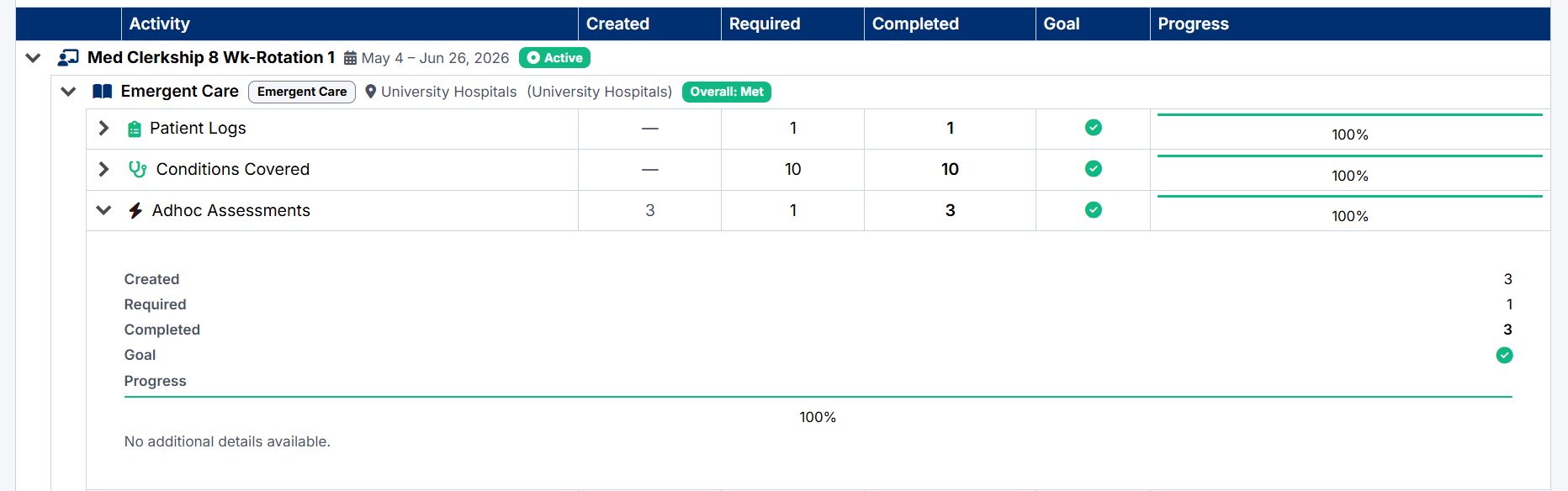
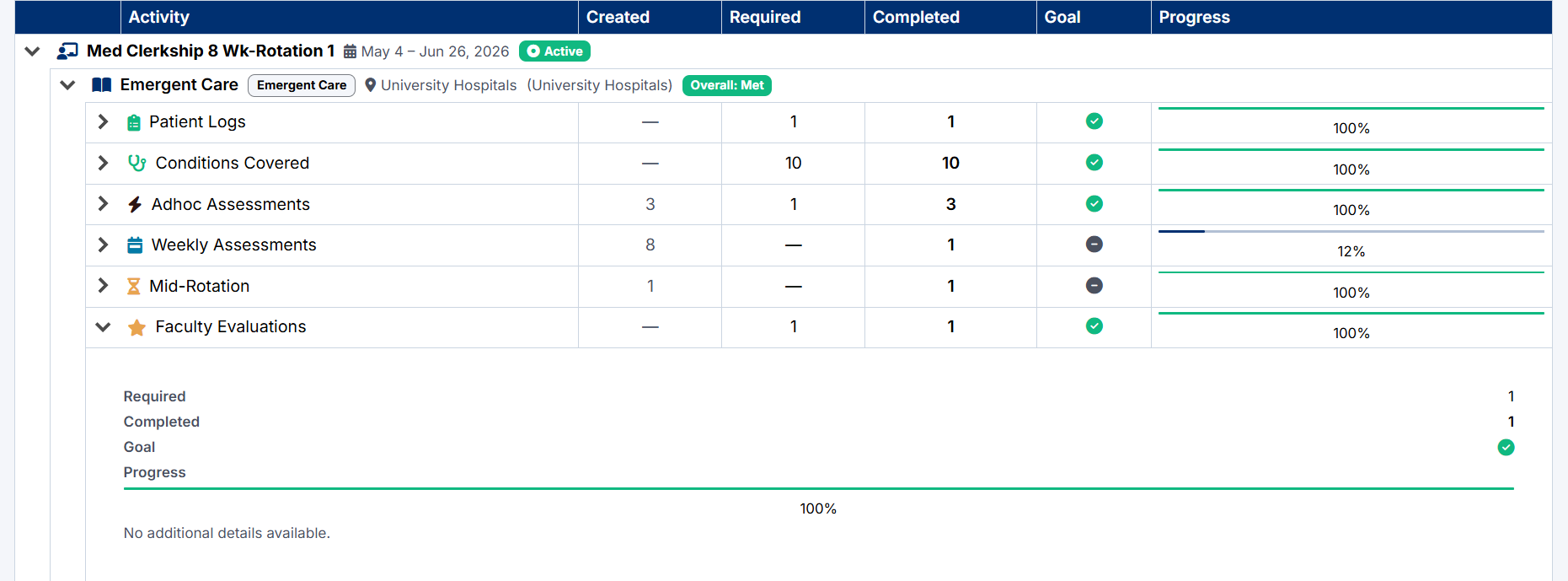
Adhoc Assessments
The Adhoc Assessments section tracks assessment requests submitted during clinical encounters.
The dashboard displays:
- Number of requests created
- Required amount
- Completed assessments
- Progress toward goals
Selecting the section heading opens the Adhoc Assessments page.
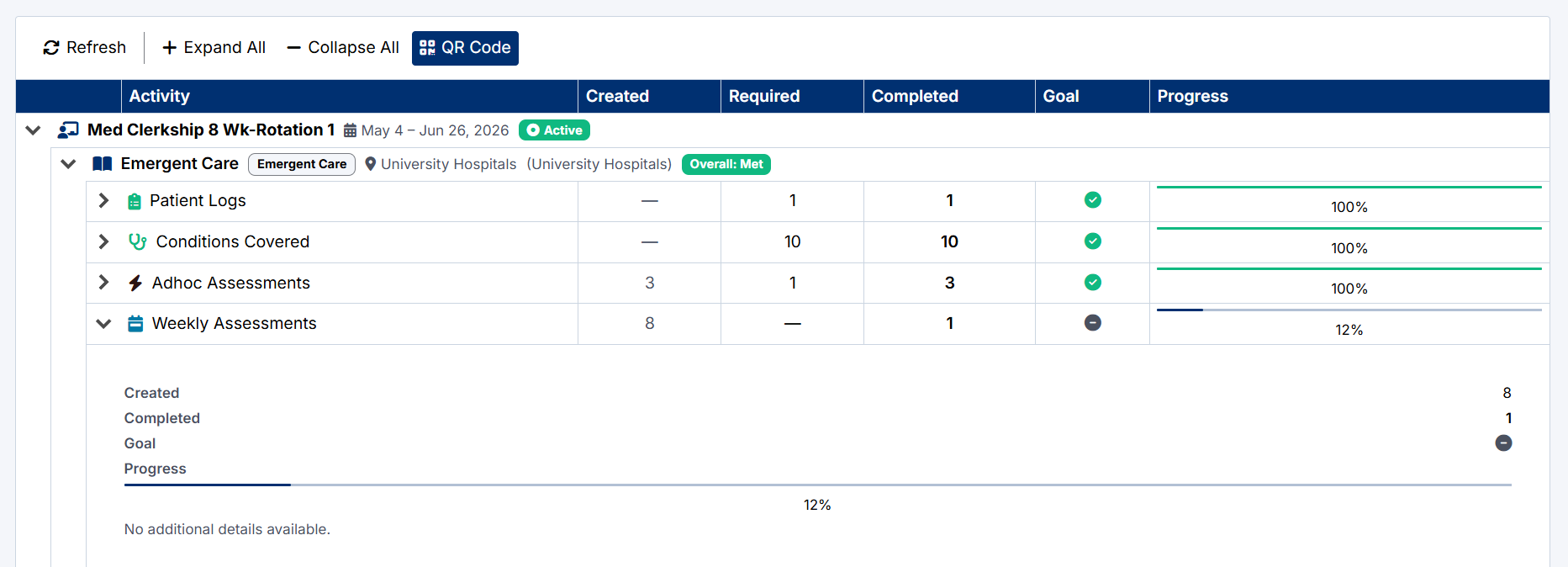
Weekly Assessments
The Weekly Assessments section tracks weekly assessment requests submitted during your rotation.
The dashboard displays:
- Total requests created
- Completed responses
- Progress percentage
Selecting the section heading opens the Weekly Assessments page.
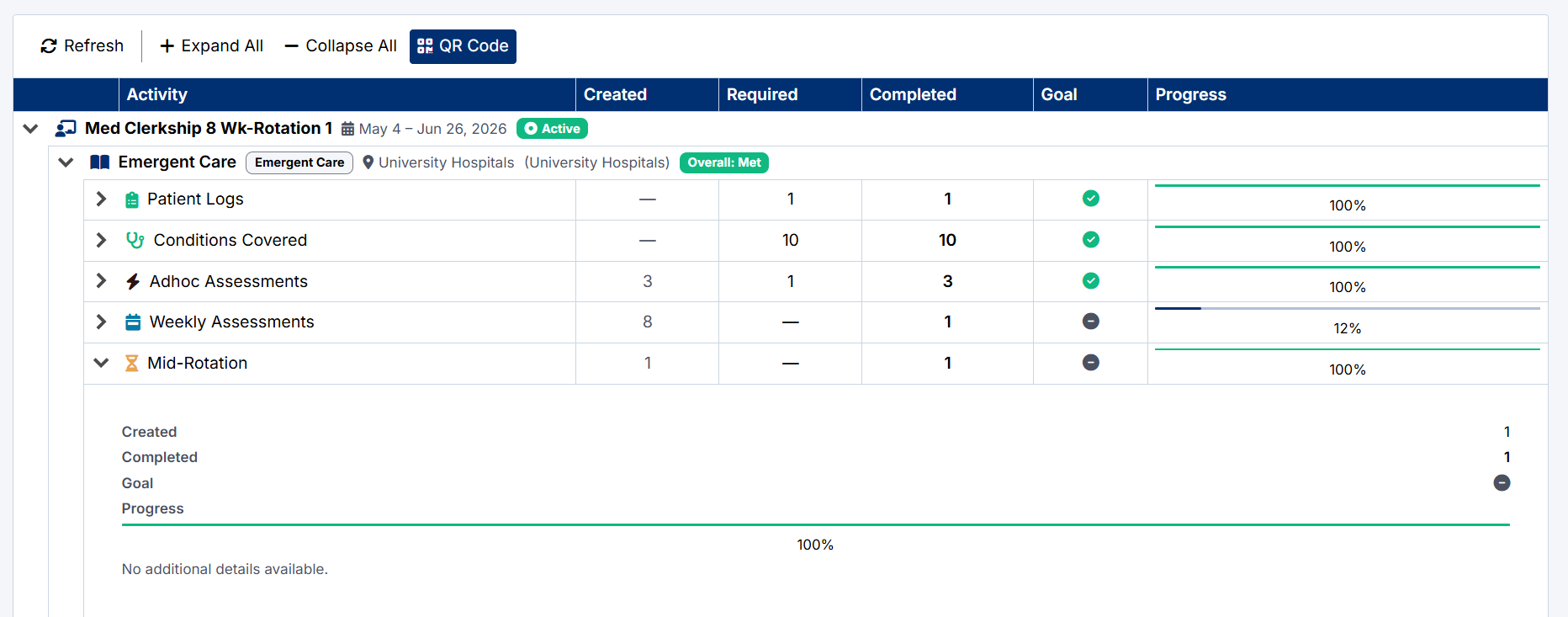
Mid-Rotation Self Assessments
The Mid-Rotation section tracks completion of your required mid-rotation self-assessment.
This self-assessment allows you to reflect on your progress, learning experience, and clinical performance during the rotation. Once submitted, the assessment is sent to the Clerkship Director for review.
The Clerkship Director will then respond with a Mid-Rotation Feedback form containing guidance, feedback, and recommendations.
The dashboard displays:
- Self-assessment creation status
- Submission/completion status
- Progress percentage
Faculty Evaluations
For certain rotations, students are required to complete evaluations for assigned preceptors.
The Faculty Evaluations section tracks your progress toward completing these required evaluations.
The dashboard displays:
- Required evaluations
- Completed evaluations
- Goal status
- Progress percentage
Selecting the section heading opens the Review Preceptor page, where you can submit evaluations and feedback for your preceptors.
Created with the Personal Edition of HelpNDoc: Full-featured Documentation generator