Weekly Assessments

Weekly Assessments
Weekly Assessments must be completed and submitted each week during your rotation. These are not automatically generated.
You are required to create a weekly assessment request every Thursday by selecting the preceptors you have worked with during that week.
When submitting a weekly assessment:
- You can select one or more preceptors to complete your assessment
- If you have logged patient encounters, you can attach relevant patient logs to support your submission
- Attached patient logs help demonstrate that you have met the required clinical conditions and encounter expectations for your rotation
If no relevant patient encounters were logged, you can still submit a weekly assessment request by selecting the appropriate preceptors.
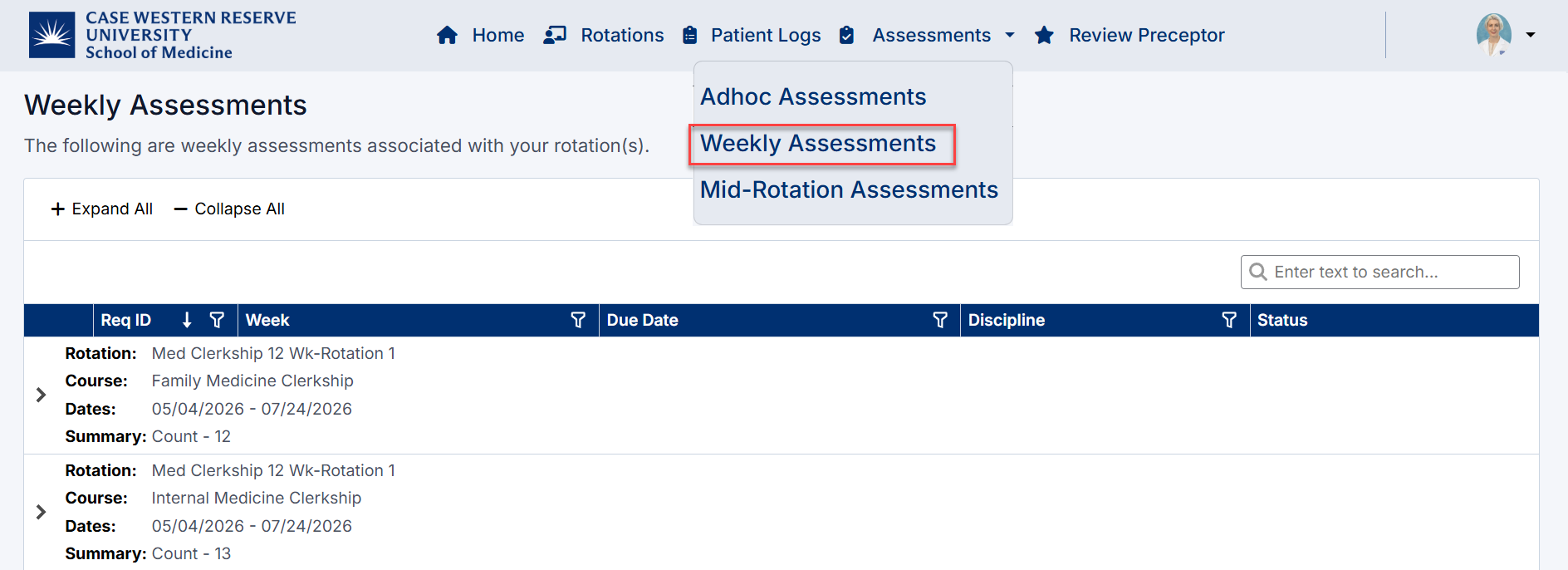
Weekly Assessment Navigation
Viewing Weekly Assessments
On the Weekly Assessments page, assessments are grouped by week and session.
Each entry displays:
- Week and start date
- Discipline
- Due Date
- Action (Start)
Click the arrow icon ( > ) to expand a week and view available requests.
Starting a Weekly Assessment
To begin a request:
- Locate the relevant week
- Click Start next to the discipline
- The Weekly Request screen will open
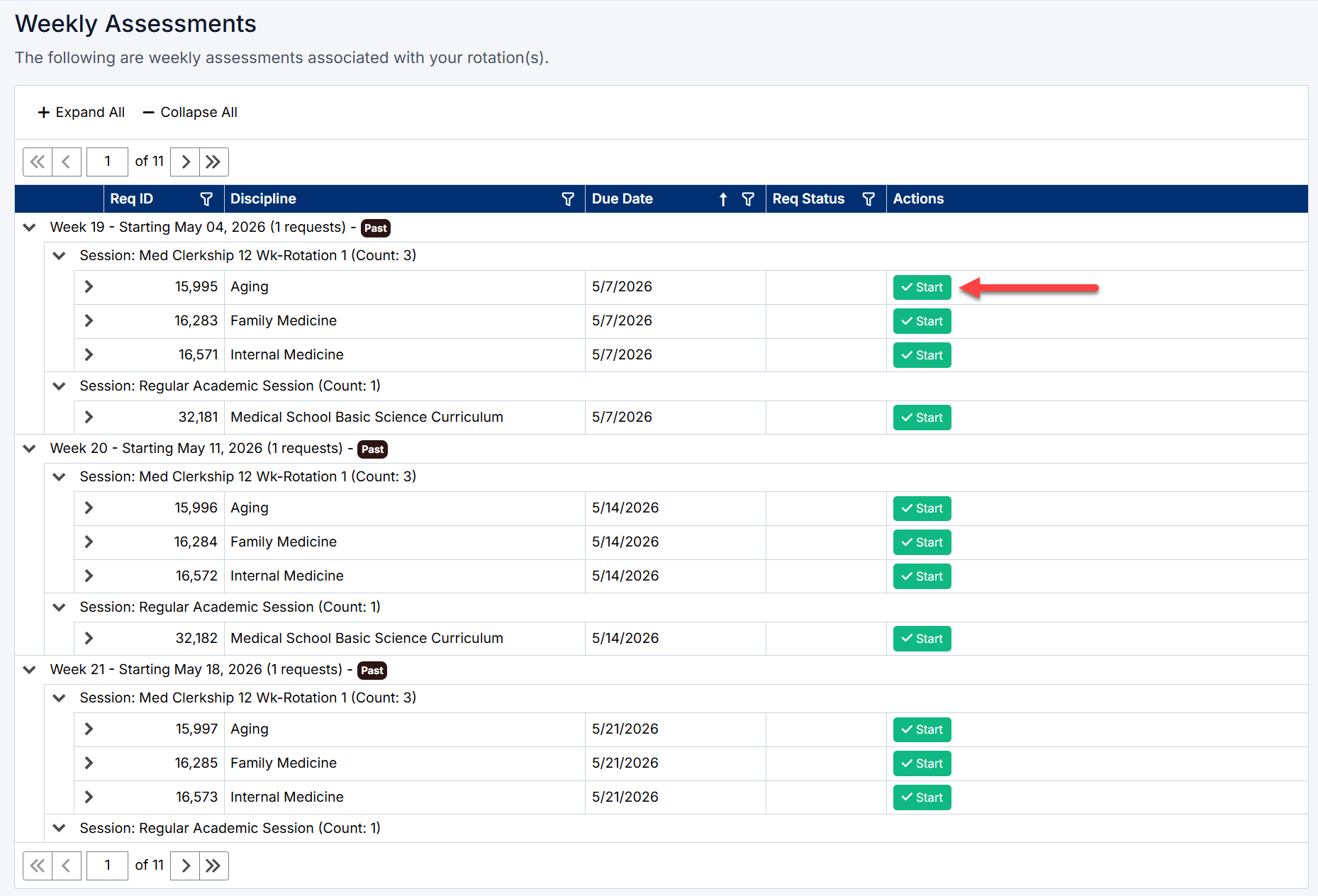
Starting a Weekly Assessment
Completing a Weekly Request
1. Select Preceptors
- Choose one or more preceptors you worked with during that week
- Preceptors are filtered based on your rotation
2. Select Patient Logs (Optional)
- Patient logs linked to the selected preceptor(s) will be displayed
- Select one or more logs to include in the assessment
- Use Select All if needed
Patient logs help demonstrate encounters with required clinical conditions, but are not mandatory.
3. Add Additional Notes (Optional)
- Enter any comments or context to include in the email sent to preceptors
- This may include:
- Areas you would like feedback on
- Context about your week
- Specific cases or experiences
4. Submit the Request
- Click Submit to send the request to selected preceptors
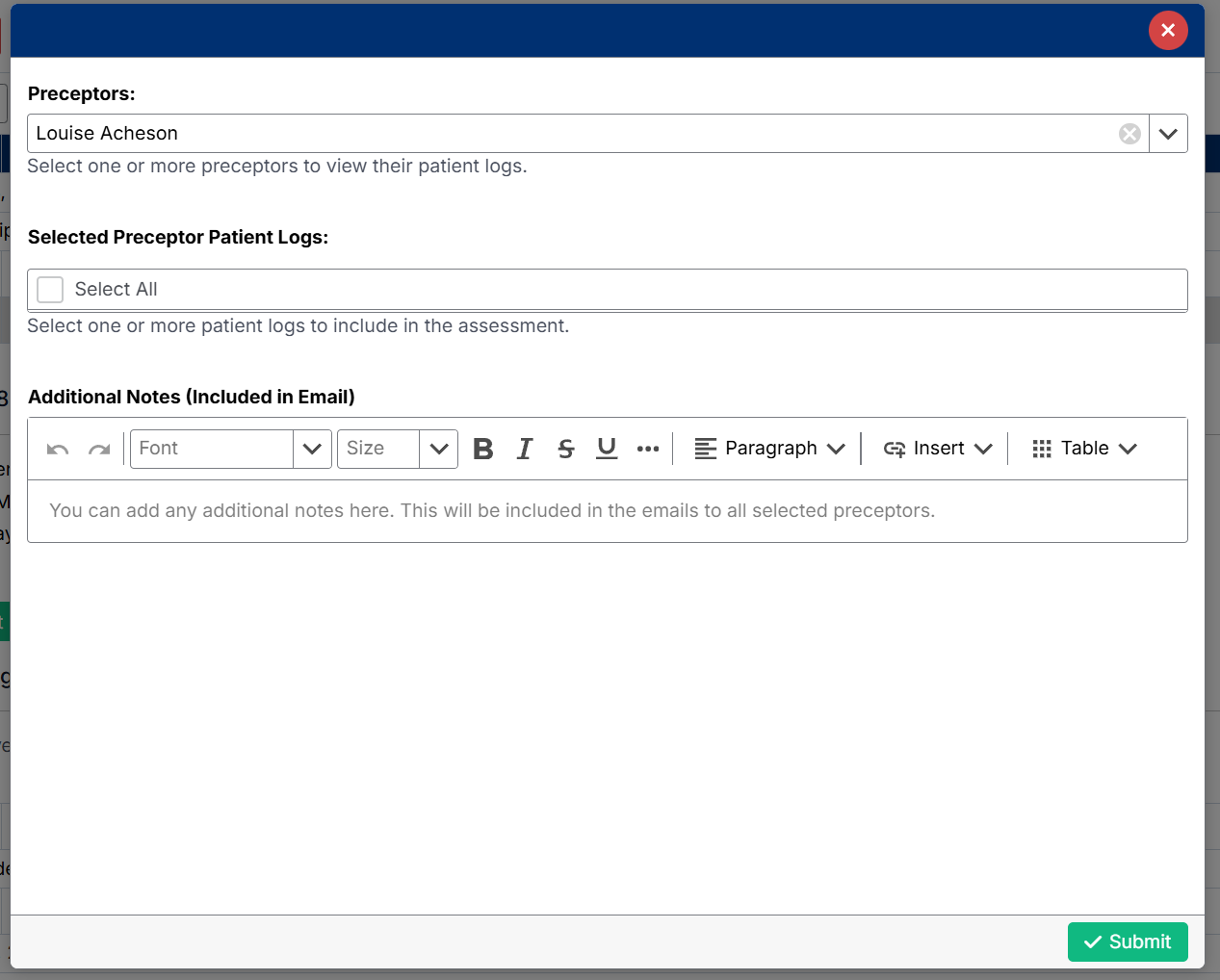
After Submitting a Weekly Request
Once you submit a weekly assessment request, it is sent to the selected preceptor(s) for completion.
Request Status
Each request will display a status on the Weekly Assessments page:
- Pending Review
- The request has been sent
- The preceptor has not yet completed the assessment
- Completed
- The preceptor has submitted their evaluation
- Feedback is now available to view
Tracking Progress
You can monitor the progress of your requests directly from the Weekly Assessments screen:
- Expand the relevant week
- Expand the request to view details
- Check the Req Status column
Viewing Completed Feedback
Once a request is marked Completed:
- Expand the relevant week
- Expand the specific request
- Scroll to the Evaluators & Logs section
- Locate the preceptor response
- Click View Feedback to open the completed assessment
You will also see:
- Submitted On – when the request was sent
- Response Received – when the preceptor completed the assessment
- Workflow History – track reminders and status changes
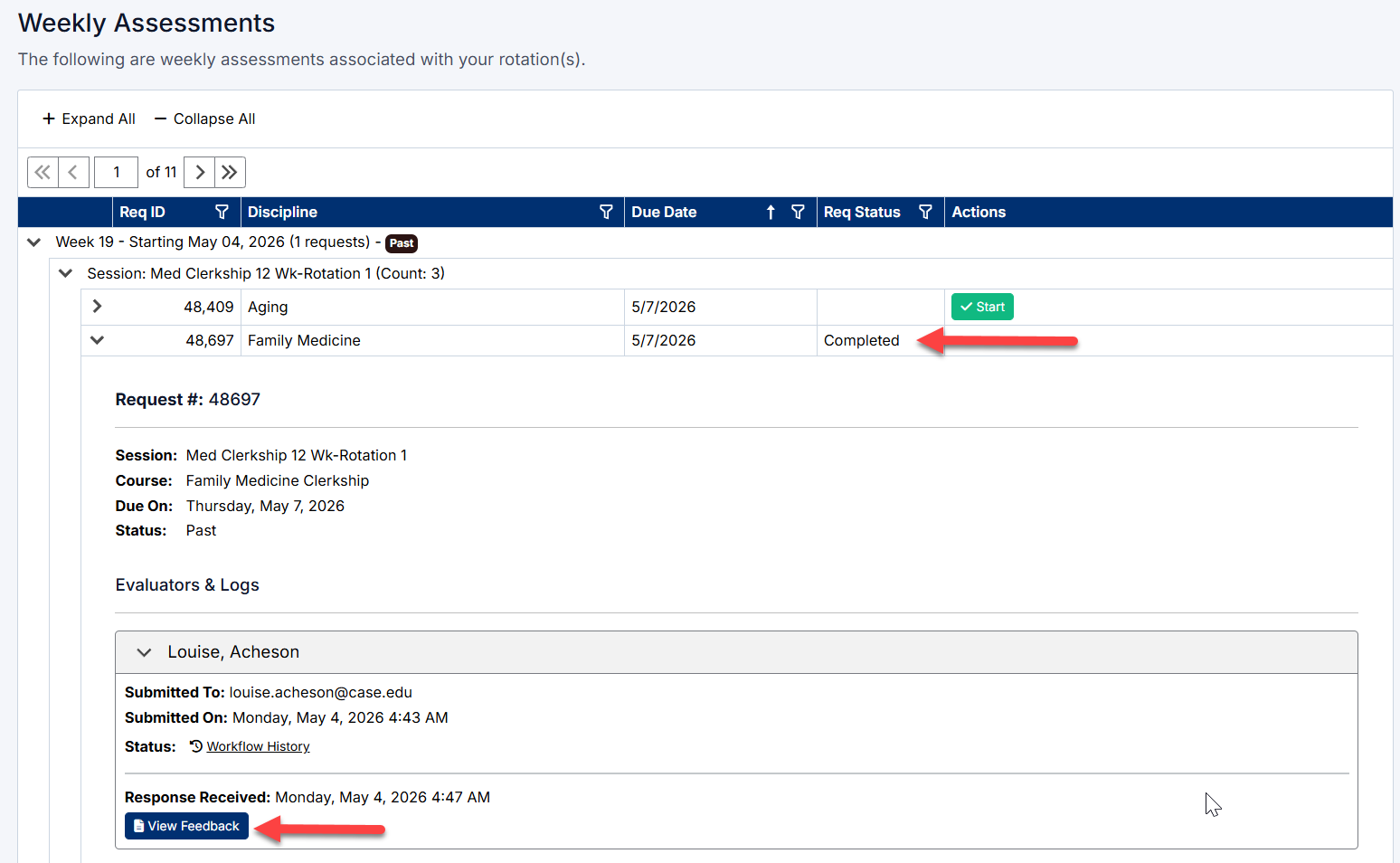
Weekly Assessment Status and History
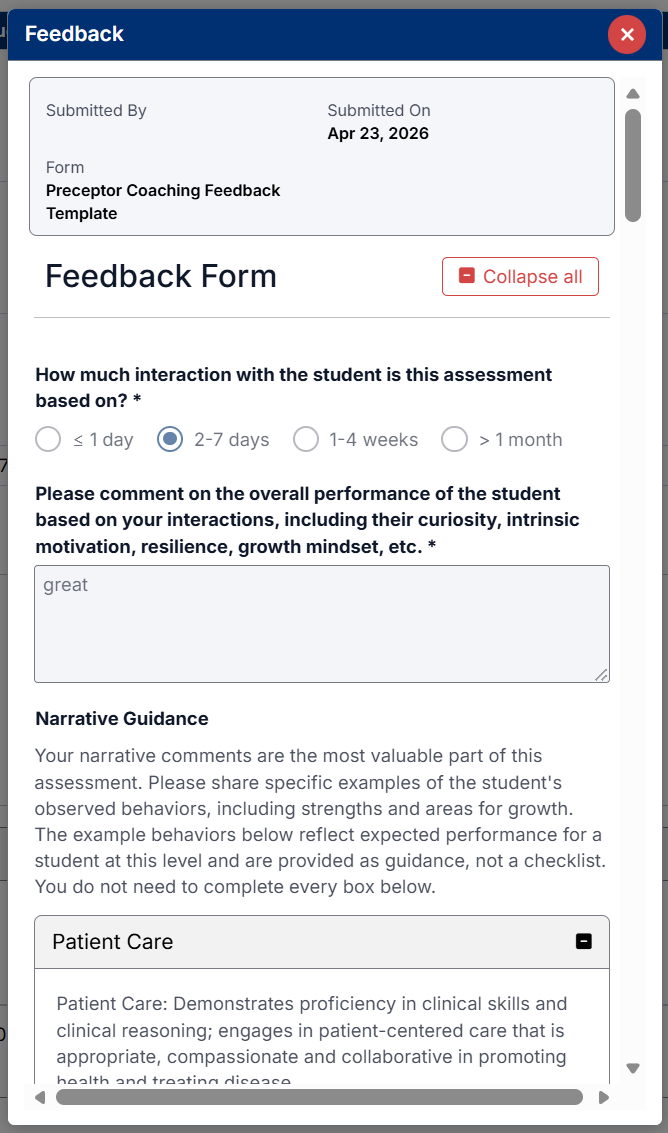
View Completed feedback form
Best Practice
Regularly review both Current and Upcoming (Future) assessments to ensure you are prepared to submit on time and meet your rotation requirements.
Created with the Personal Edition of HelpNDoc: News and information about help authoring tools and software