Review Preceptor

Preceptor Review
The Preceptor Review feature allows you to provide confidential feedback on your experience working with preceptors during your rotation.
This feedback is only visible to clerkship directors and is used to support teaching quality and improve the clinical learning experience.
Accessing Preceptor Reviews
To access Preceptor Reviews:
- From the top navigation menu, click Review Preceptor
- The Preceptor Review page will open, displaying all reviews associated with your current rotation(s)
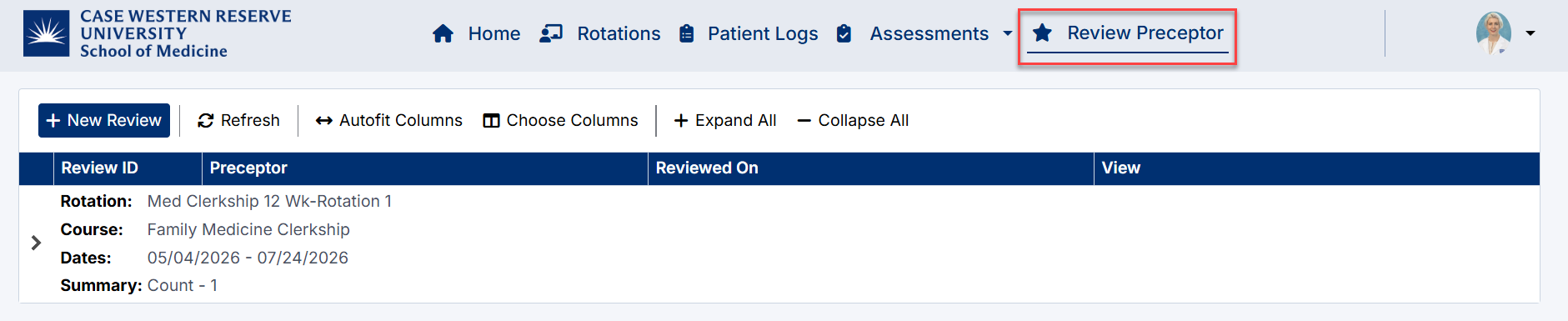
Review Preceptor Navigation
Viewing Existing Reviews
On the Preceptor Review page, you can:
- View a list of submitted reviews
- See:
- Preceptor name
- Date reviewed
- Click View to open and review previously submitted feedback
This allows you to keep track of feedback you have already provided.

View Preceptor Reviews
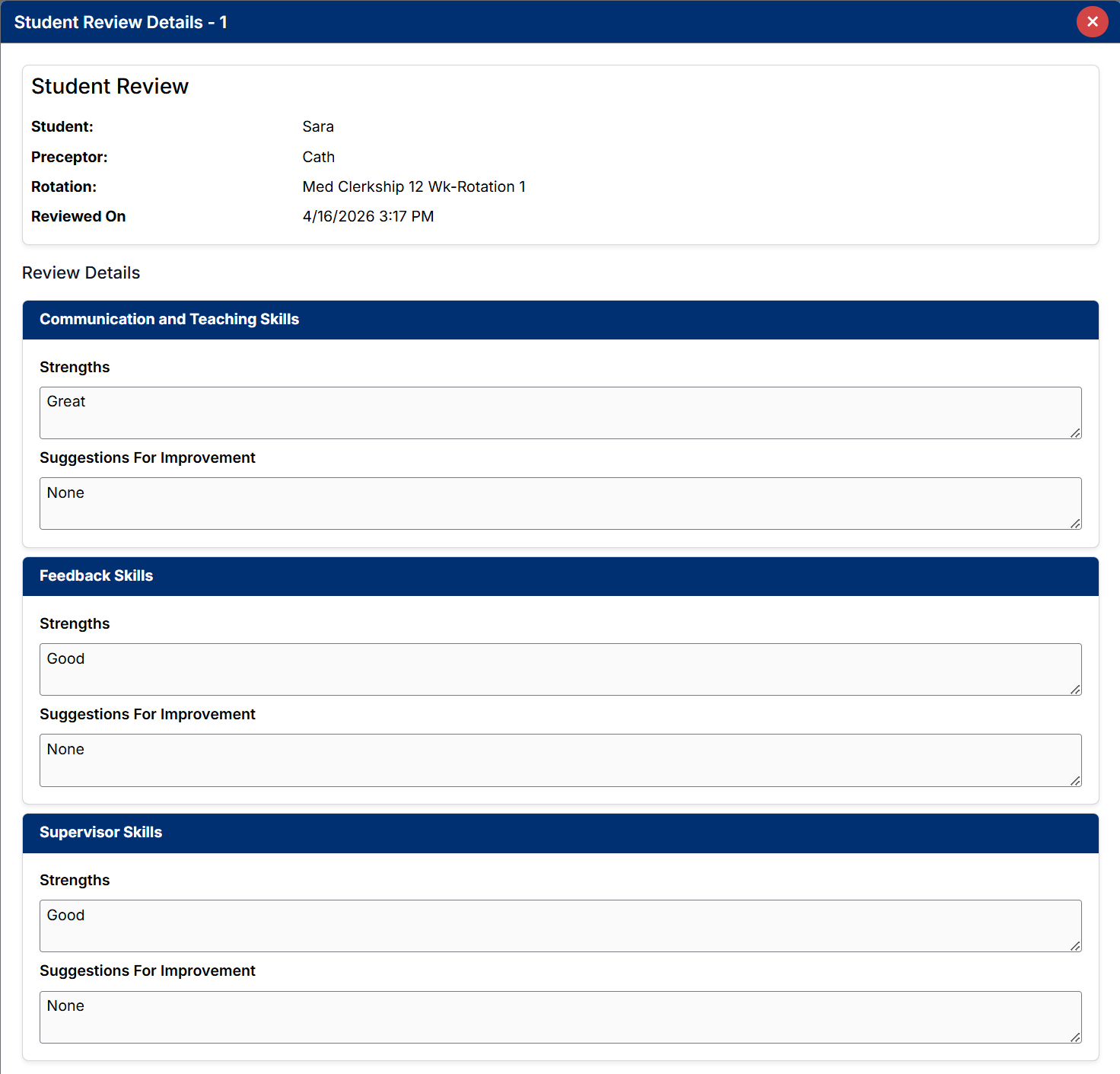
Completed Preceptor Review Form
Creating a New Review
To submit a new Preceptor Review:
- Click + New Review
- Select the relevant:
- Rotation (Session)
- Preceptor
(Preceptors are filtered based on the selected rotation) - Complete the review form

Create Preceptor Review
Completing the Review
The review consists of the following sections:
- Communication and Teaching Skills
- Feedback Skills
- Supervisor Skills
For each section, you are required to provide:
- Strengths
- Suggestions for Improvement
All required fields must be completed before submitting.
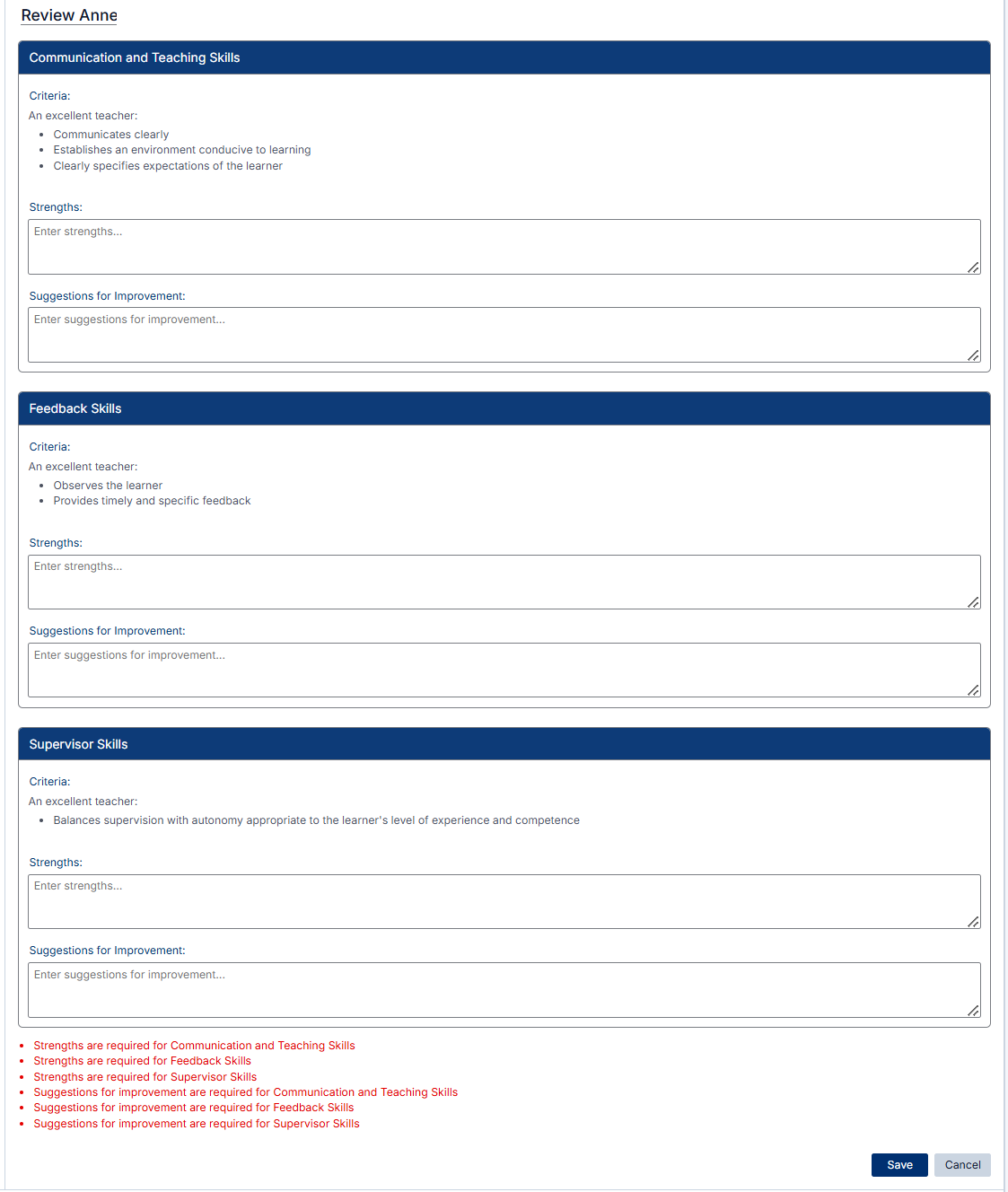
Preceptor Review Form
Submitting the Review
Once all sections are complete:
- Click Save to submit your review
Your feedback will be recorded and made available to clerkship directors only.
Important Notes
- Reviews are confidential and are not visible to preceptors
- You can submit reviews for any preceptor within your discipline
- Providing honest and constructive feedback helps improve the learning experience for future students
Best Practice
Submit your review as soon as possible after working with a preceptor to ensure your feedback is accurate and meaningful.
Created with the Personal Edition of HelpNDoc: Easy Qt Help documentation editor