Rotations

Rotations
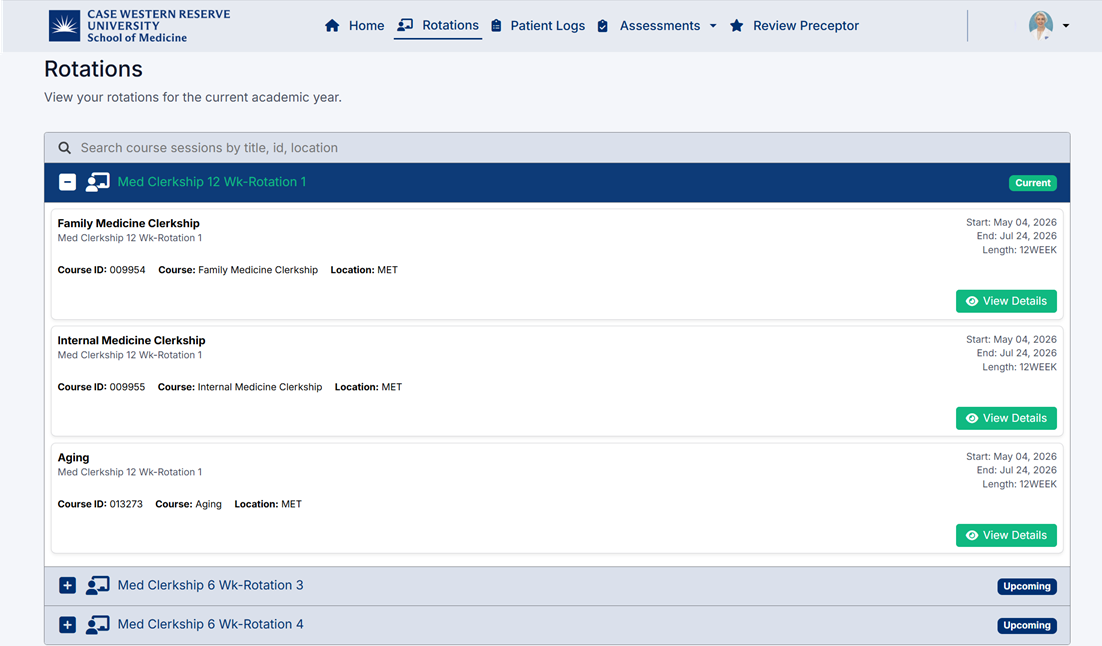
The Rotations page allows students to view all assigned rotations and course sessions for the current academic year.
From this page, students can:
- View current and upcoming rotations
- Search for rotations or courses
- Expand rotation groups
- Review course details and descriptions
- Open detailed rotation information
Accessing the Rotations Page
To open the Rotations page:
- Select Rotations from the navigation bar at the top of the portal.
- The Rotations screen will display all assigned academic sessions and clerkship rotations.

Searching for Rotations
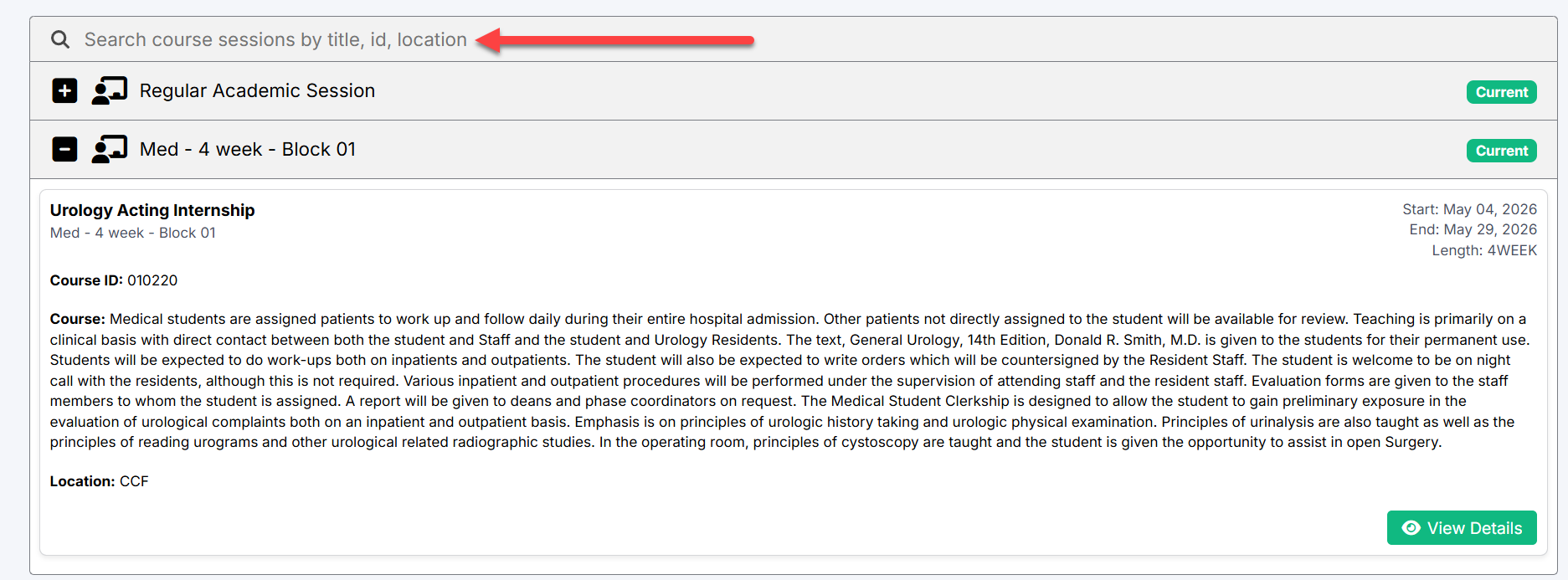
Use the search bar at the top of the page to quickly locate rotations by:
- Course title
- Course ID
- Location
The rotation list updates automatically as you type.
Expanding Rotation Sections
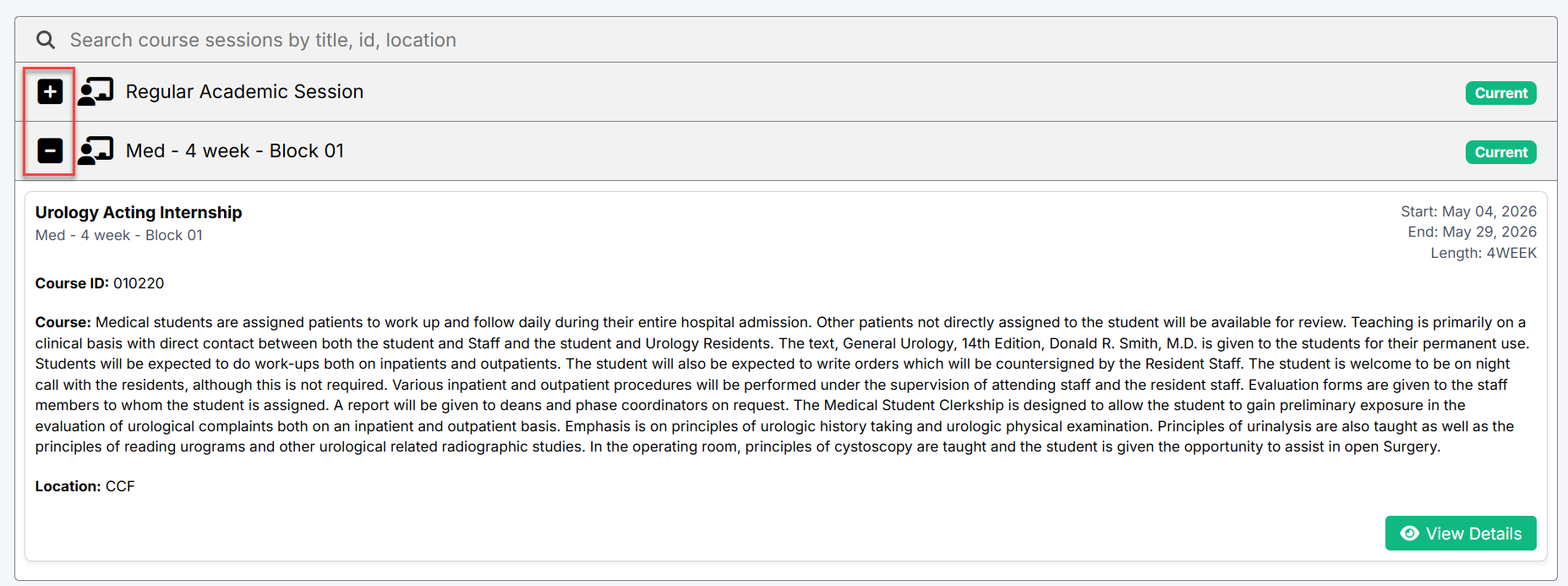
Rotations are grouped into expandable academic sessions and rotation blocks.
To expand a section:
- Select the Plus (+) icon beside a session or rotation.
- The system will display the available rotation details beneath the selected section.
To collapse a section:
- Select the Minus (-) icon.
Expanded sections display:
- Rotation name
- Rotation dates
- Rotation length
- Course description
- Rotation location
Viewing Rotation Details
Each expanded rotation displays detailed course information including:
- Course ID
- Course description
- Rotation start and end dates
- Rotation length
- Assigned location/site
This information helps students review:
- Clinical expectations
- Rotation objectives
- Assigned clinical sites
- Course-specific information
Opening Full Rotation Details
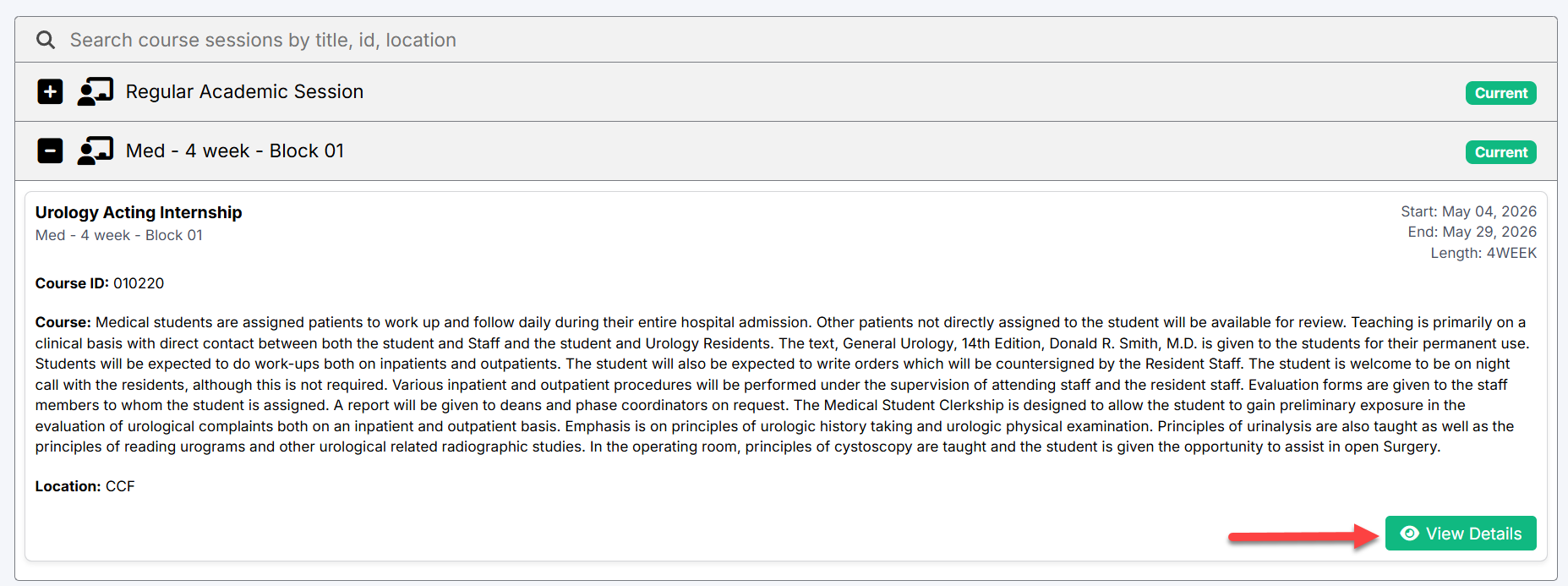
Select the View Details button to open the full rotation details page.
The detailed view may include:
- Rotation schedules
- Additional course information
- Site details
- Related activities and requirements
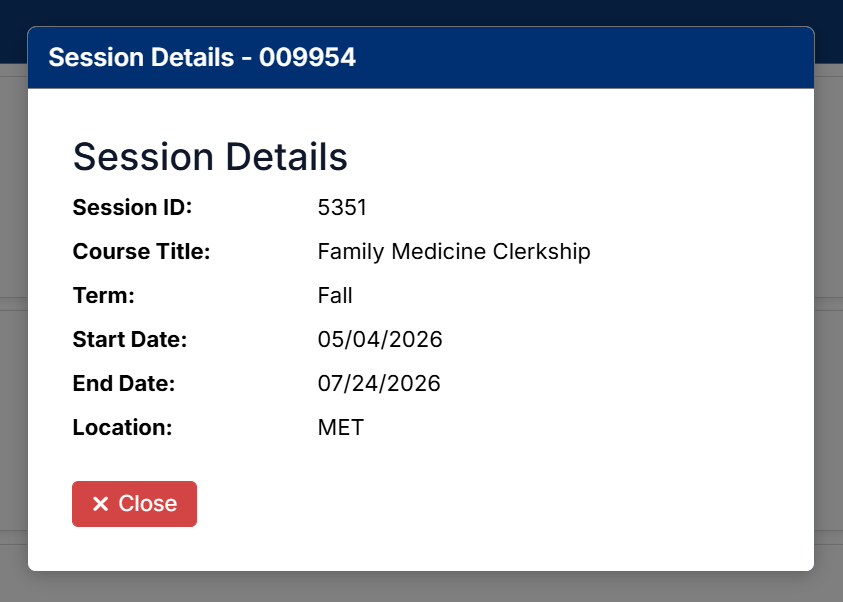
A details window will open displaying:
- Session ID
- Course title
- Term
- Start and end dates
- Location
Click Close to return to the Rotations page.
Rotation Status Indicators
Each rotation includes a status indicator showing its current state.
Possible statuses include:
- Current — Active rotation currently in progress
- Upcoming — Rotation scheduled for a future date
These indicators help students quickly identify active and future clerkships.
Created with the Personal Edition of HelpNDoc: Don't be left in the past: convert your WinHelp HLP help files to CHM with HelpNDoc