Mid-Rotation Self Assessment

Mid-Rotation Assessments
The Mid-Rotation Assessments page allows students to complete required mid-rotation self-assessments during a clerkship or academic session.
These assessments are submitted to the assigned Clerkship Director, who reviews the submission and completes a Mid-Rotation Feedback form. Students can track the assessment workflow, review their submitted responses, and view feedback once it has been completed.
Mid-Rotation Assessments help:
- Monitor student progress during a rotation
- Identify strengths and areas for improvement
- Provide early feedback before the end of the rotation
- Ensure students are meeting rotation requirements
Accessing Mid-Rotation Assessments
To access the Mid-Rotation Assessments page:
- Select Assessments from the top navigation bar.
- Select Mid-Rotation Assessments from the dropdown menu.

Understanding the Mid-Rotation Assessments Page
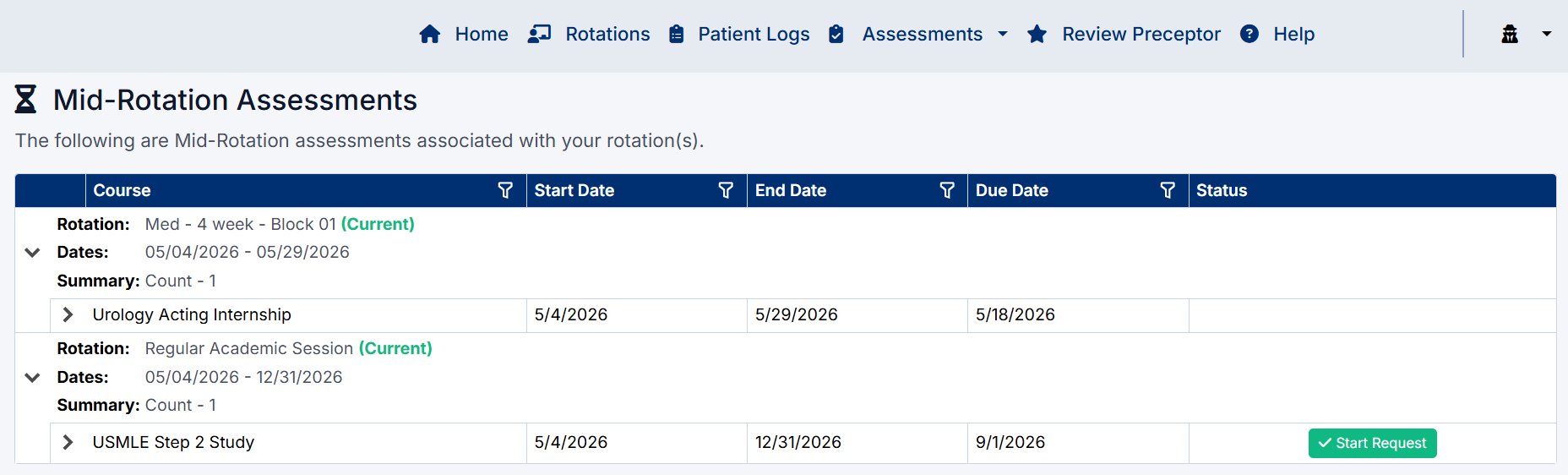
The Mid-Rotation Assessments page displays all mid-rotation assessments associated with your assigned rotations.
The grid displays:
- Rotation name
- Rotation dates
- Assessment due date
- Current assessment status
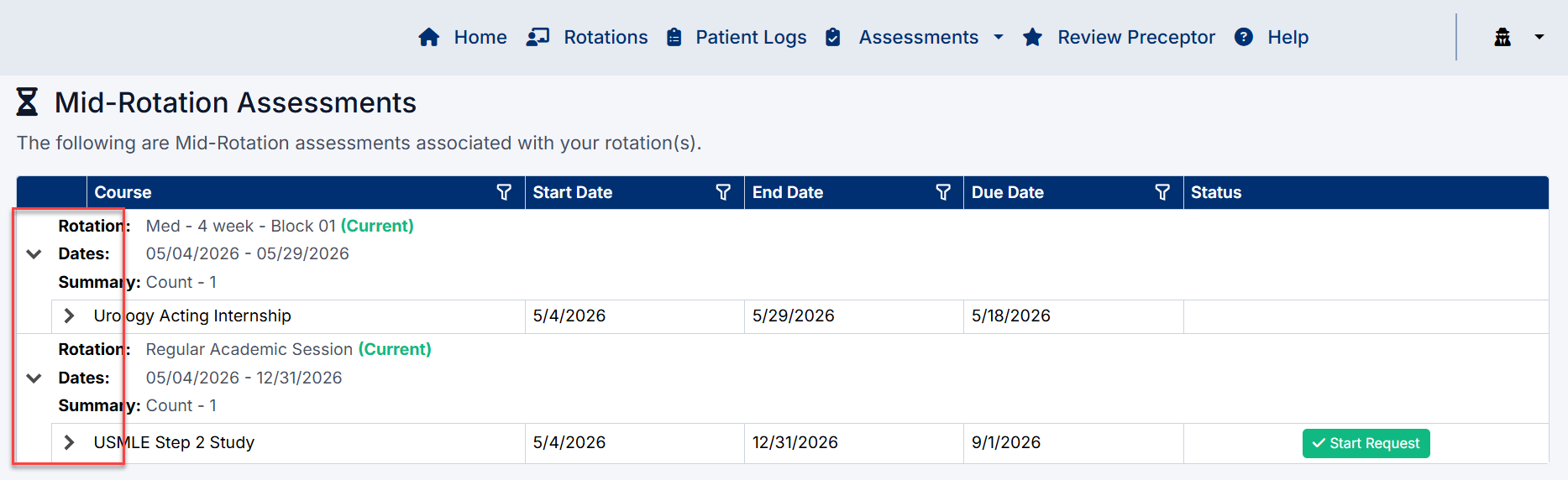
Rotations can be expanded to display additional assessment details.
Expanding an Assessment
To view assessment details:
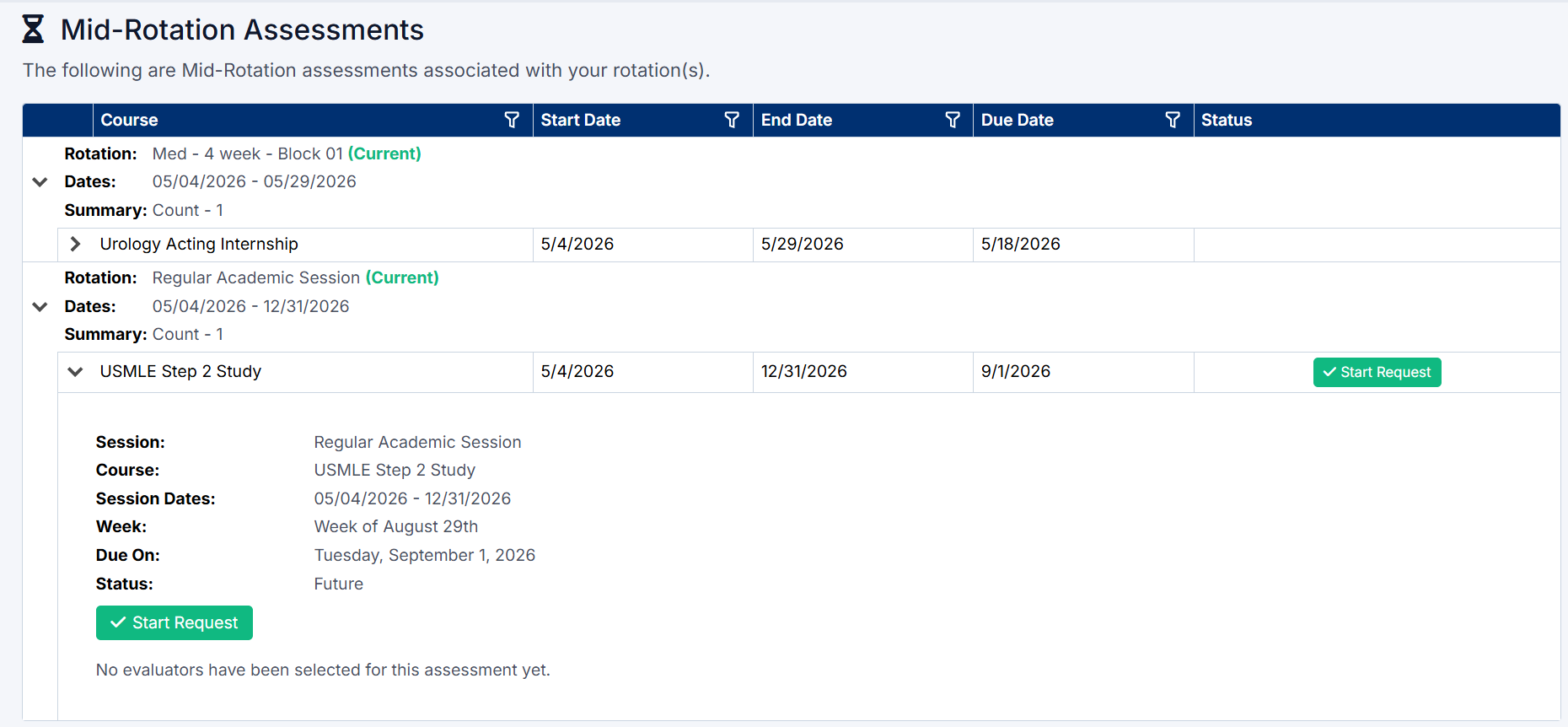
- Select the Expand Arrow beside the assessment row.
- The system displays additional information including:
- Session name
- Course name
- Session dates
- Assessment week
- Due date
- Current status
If no requests have been submitted yet, the page displays:
“No evaluators have been selected for this assessment yet.”
Starting a Mid-Rotation Self-Assessment
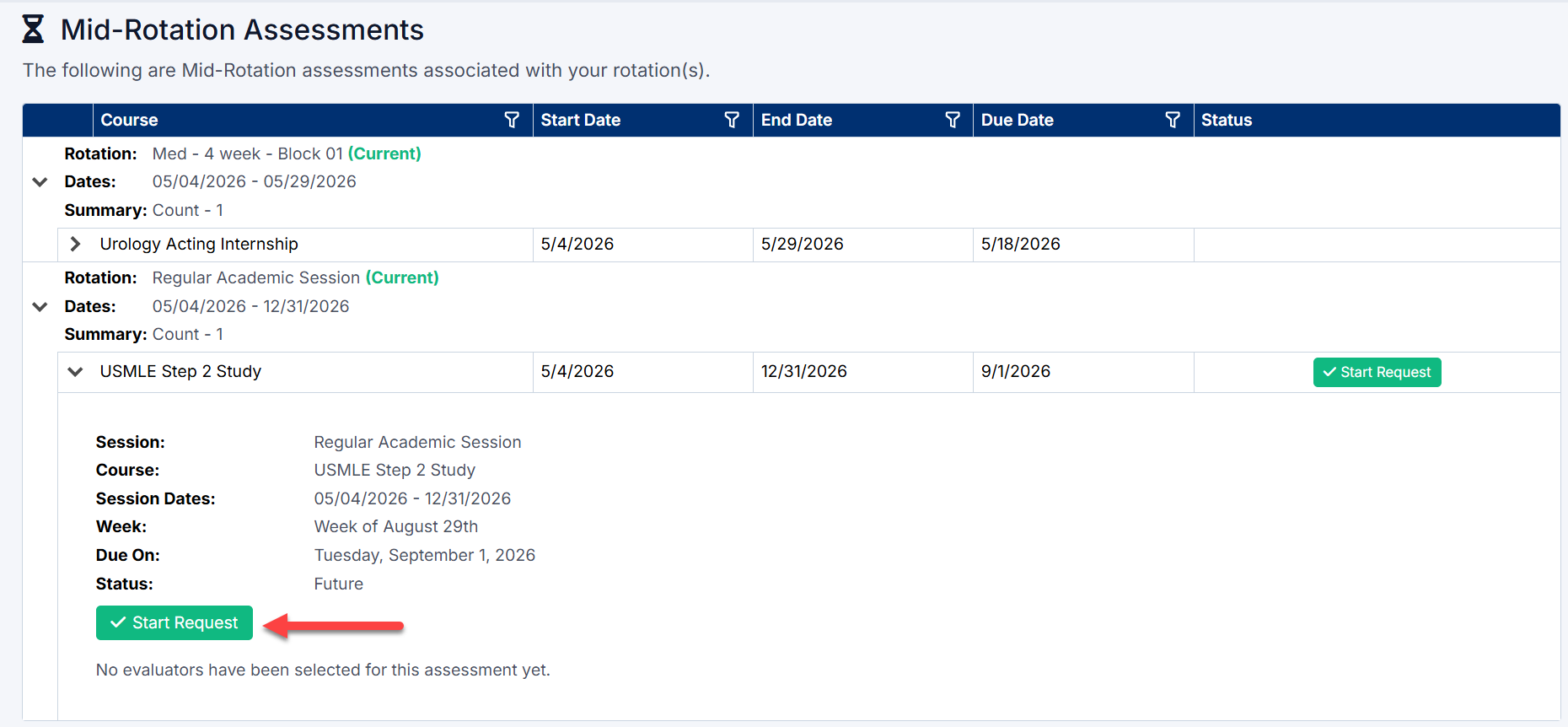
When a Mid-Rotation Assessment becomes available, a Start Request button is displayed.
To begin the assessment:
- Expand the assessment row.
- Select Start Request.
Selecting a Clerkship Director
After selecting Start Request, the Mid-Rotation Assessment window opens.
- Use the Clerkship Directors dropdown list to select the appropriate Clerkship Director.
- Clerkship Directors are filtered based on the selected session discipline.
- Once selected, continue to the assessment form.
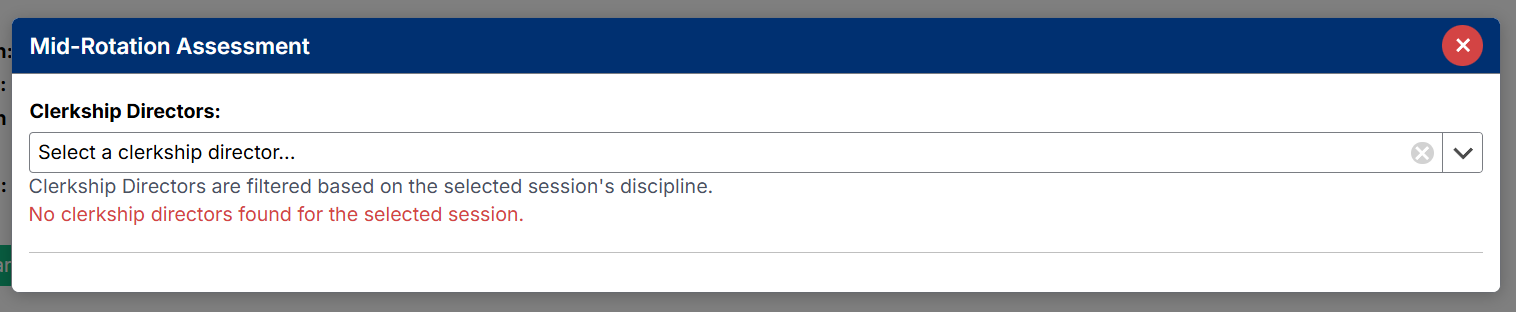
Note: If no Clerkship Directors are available, contact your administrator or Clerkship Coordinator.
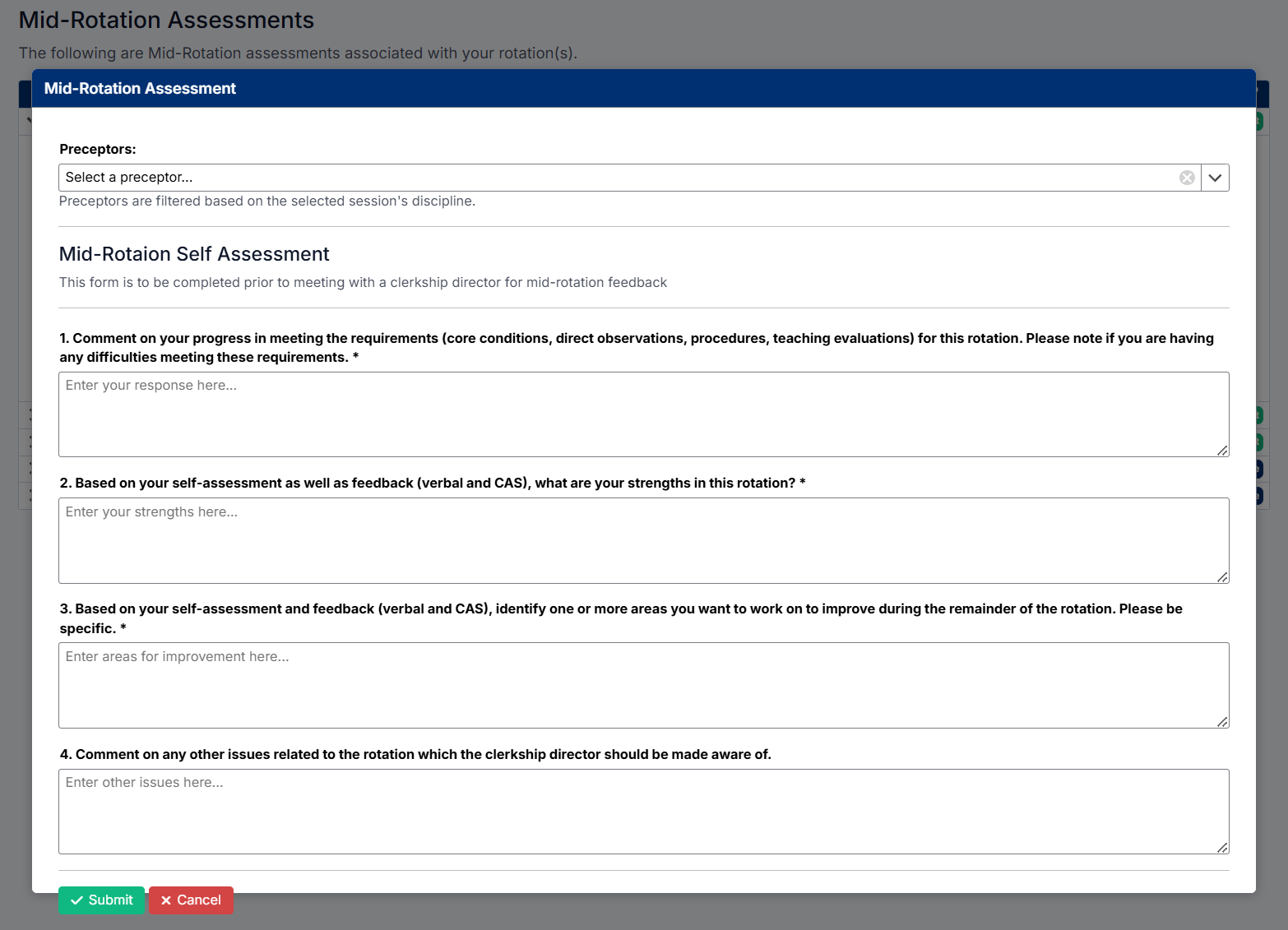
Completing the Mid-Rotation Self-Assessment
The Mid-Rotation Self-Assessment form allows students to reflect on their progress during the rotation.
The form may include questions related to:
- Rotation progress
- Core condition completion
- Procedures and direct observations
- Strengths and areas for improvement
- Professional development goals
- Concerns or challenges during the rotation
Students should provide thoughtful and detailed responses where appropriate.
Submitting the Assessment
After completing all required questions:
- Review your responses carefully.
- Submit the assessment.
Once submitted:
- The assessment is sent to the selected Clerkship Director
- The workflow history becomes available
- The assessment status updates within the grid

Tracking Assessment Workflow
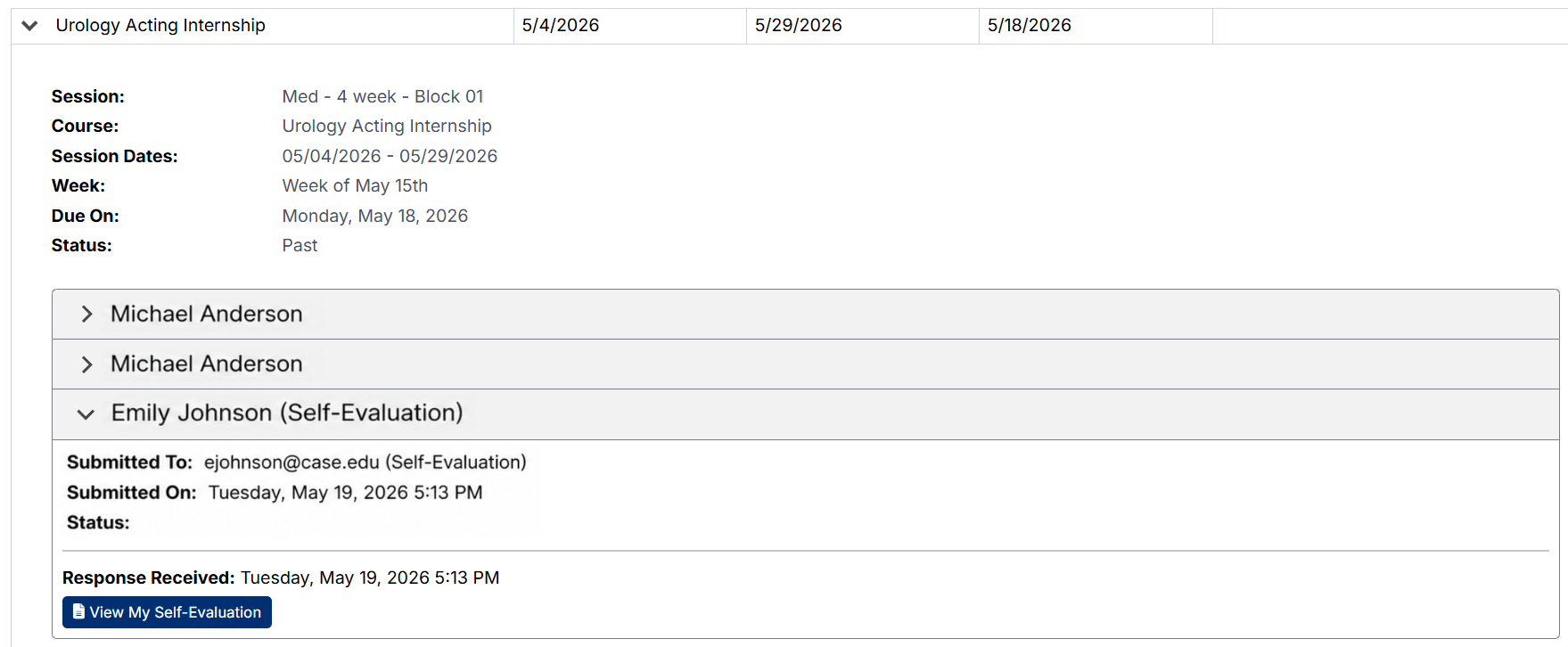
Students can expand evaluator sections to review workflow activity.
The workflow section displays:
- Evaluator name
- Submission email address
- Submission date and time
- Workflow history link
- Response status
This allows students to monitor assessment progress and determine whether feedback has been completed.
Viewing Your Self-Assessment
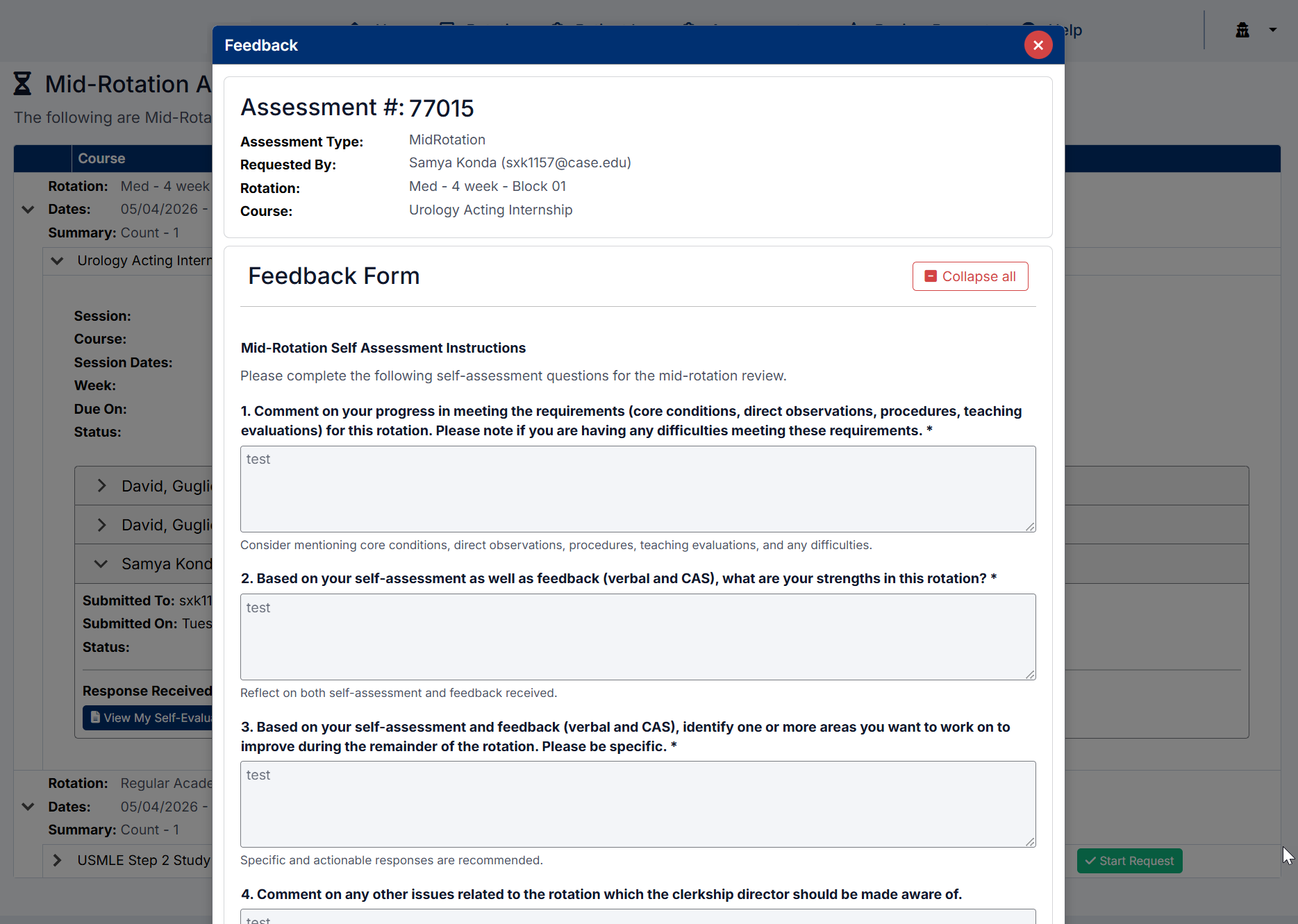
Students can reopen and review their submitted self-assessment responses.
To view your submission:
- Expand the evaluator section.
- Select View My Self-Evaluation.
Viewing Clerkship Director Feedback
Once the Clerkship Director completes the Mid-Rotation Feedback form:
- The assessment workflow updates
- Feedback becomes available for review
Students can view:
- Clerkship Director responses
- Feedback comments
- Recommendations for improvement
- Mid-rotation progress discussions
Understanding Assessment Statuses
Possible Mid-Rotation Assessment statuses include:
|
Status |
Description |
|
Future |
Assessment is scheduled but not yet available |
|
Current |
Assessment is currently active |
|
Submitted |
Student self-assessment has been submitted |
|
Completed |
Clerkship Director feedback has been completed |
|
Past |
Assessment due date has passed |
Best Practices
To get the most value from the Mid-Rotation Assessment process:
- Complete self-assessments honestly and thoroughly
- Reflect on your clinical progress and learning goals
- Review Clerkship Director feedback carefully
- Address improvement areas early during the rotation
- Monitor workflow history regularly to track feedback completion
Created with the Personal Edition of HelpNDoc: Easy CHM and documentation editor